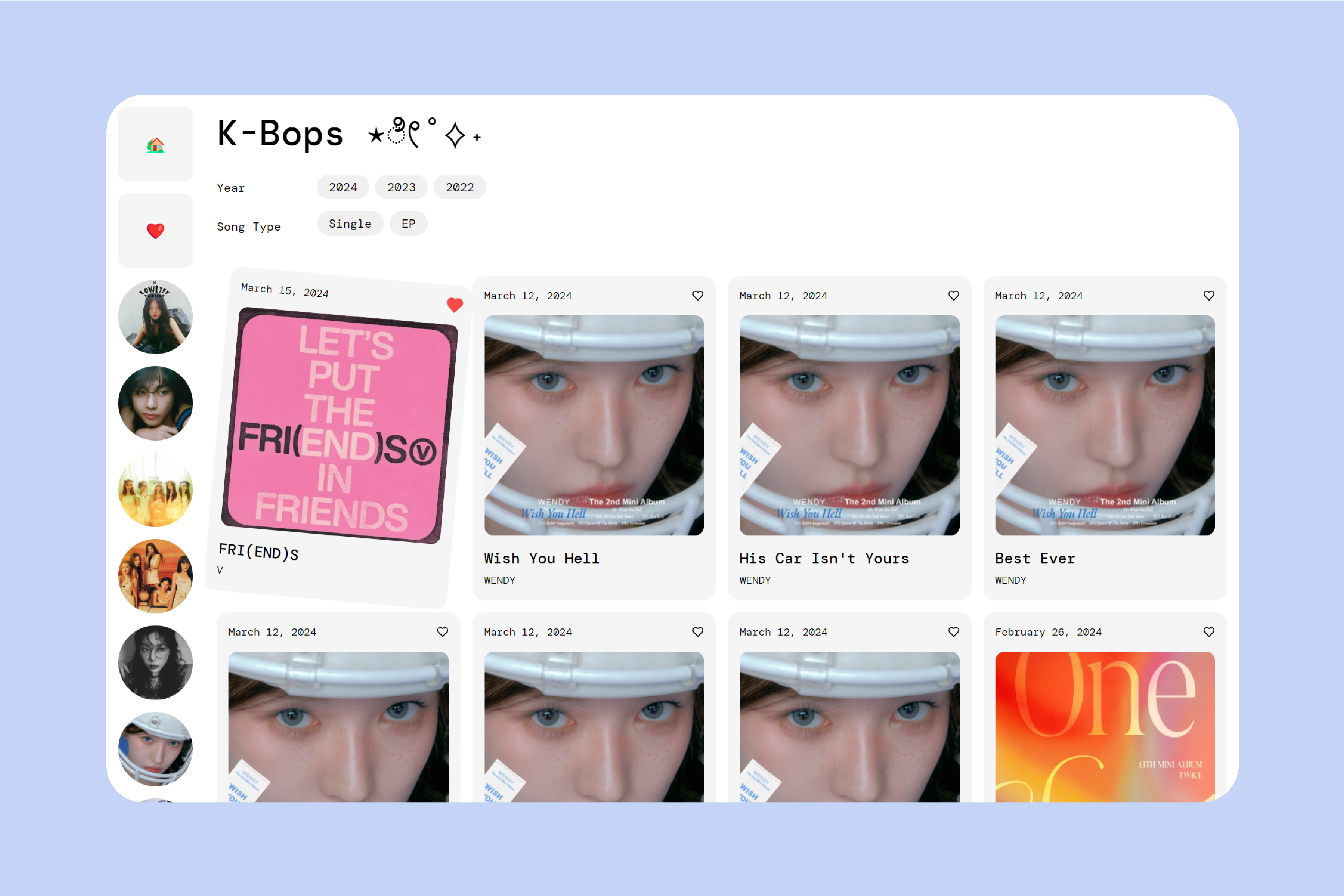
A music listening and filtering application with the latest K-Pop hits from 2022-2024.
Duration
March 2024 - April 2024
3 weeks
Location
Providence, RI
Disciplines
Web Design
Development
Tools
React
Figma
1. CONTEXT
The goal of K-Bops was to practice conducting competitive analysis and enhance frontend development skills by creating a React application with filtering functionalities. This project served as my first experience with React, presenting various technical challenges due to my limited experience with JavaScript.
2. PROCESS
For the competitive analysis, I examined popular websites across social media, e-commerce, and music listening domains, focusing on functionality, visual design, and accessibility.
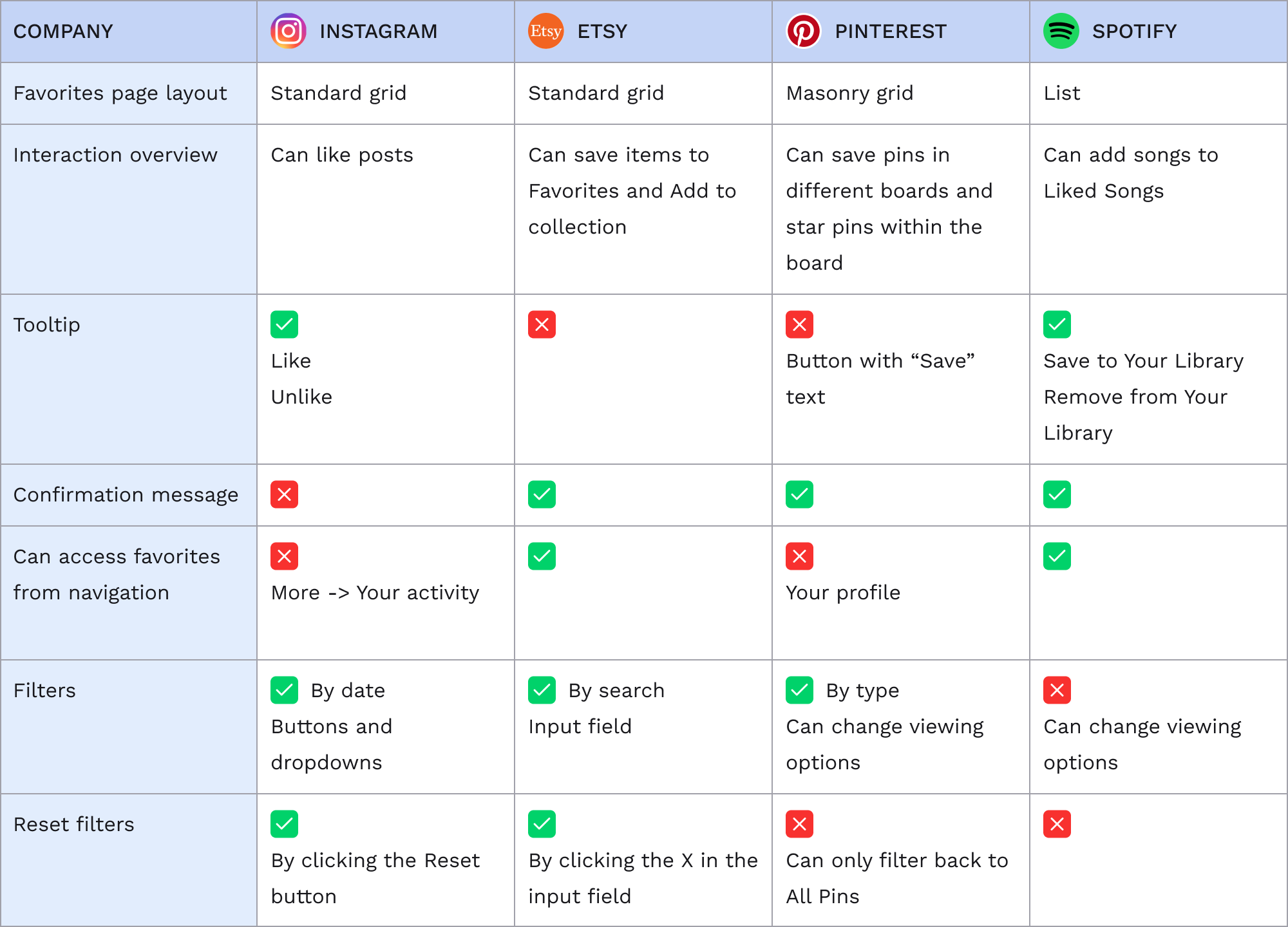
From a user's standpoint, I found the following elements most helpful during my process of favoriting an item and hoped to incorporate them in my app:
3. DESIGN
In developing the K-Bops interface, I drew inspiration from Spotify's visual design, featuring a left sidebar and main content area. Functionality-wise, the application allowed users to filter songs by artist, release year, and song type, with additional features for favoriting and unfavoriting songs.
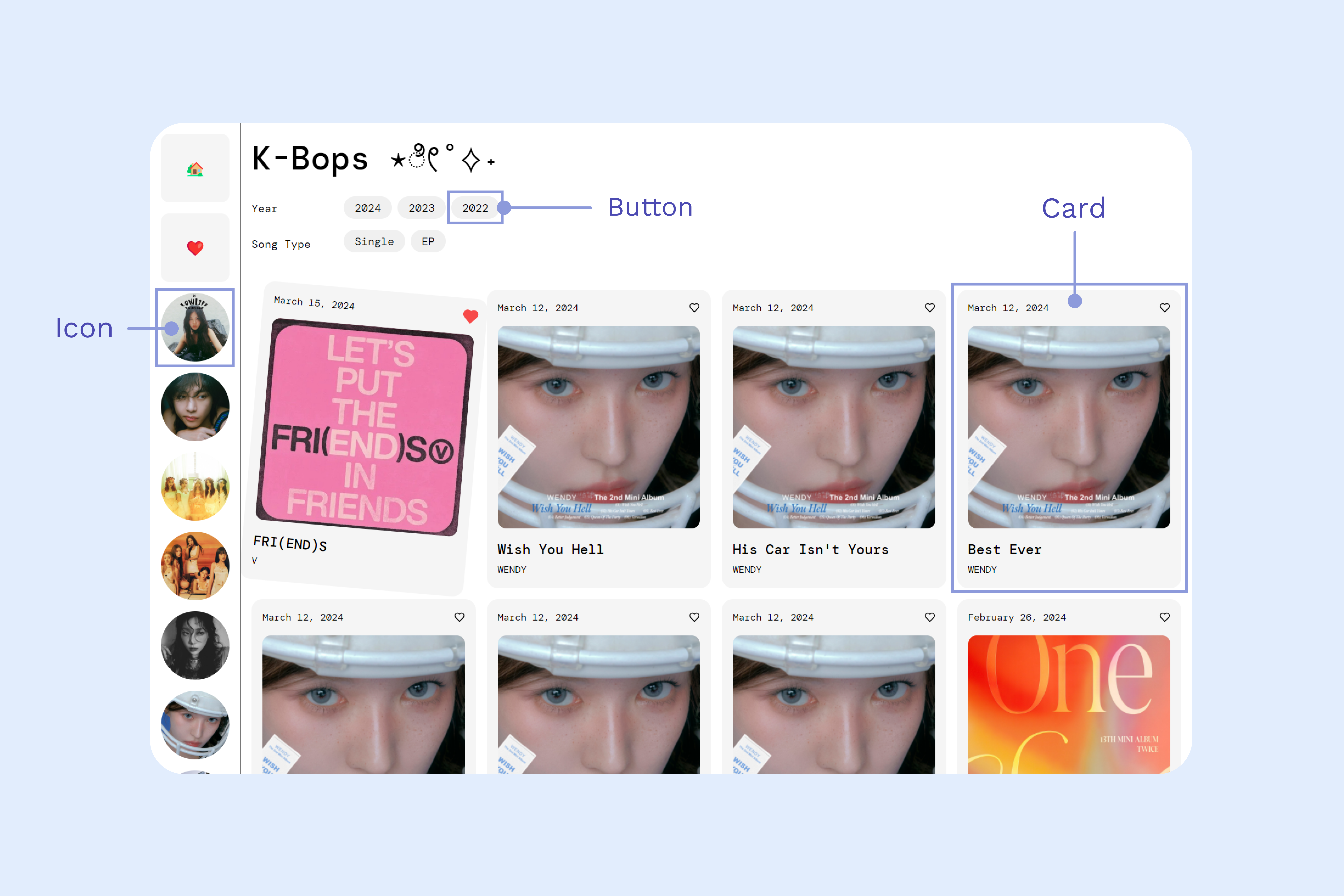
Components such as Card, Buttons, and Icons were utilized to manage display and interaction elements efficiently.
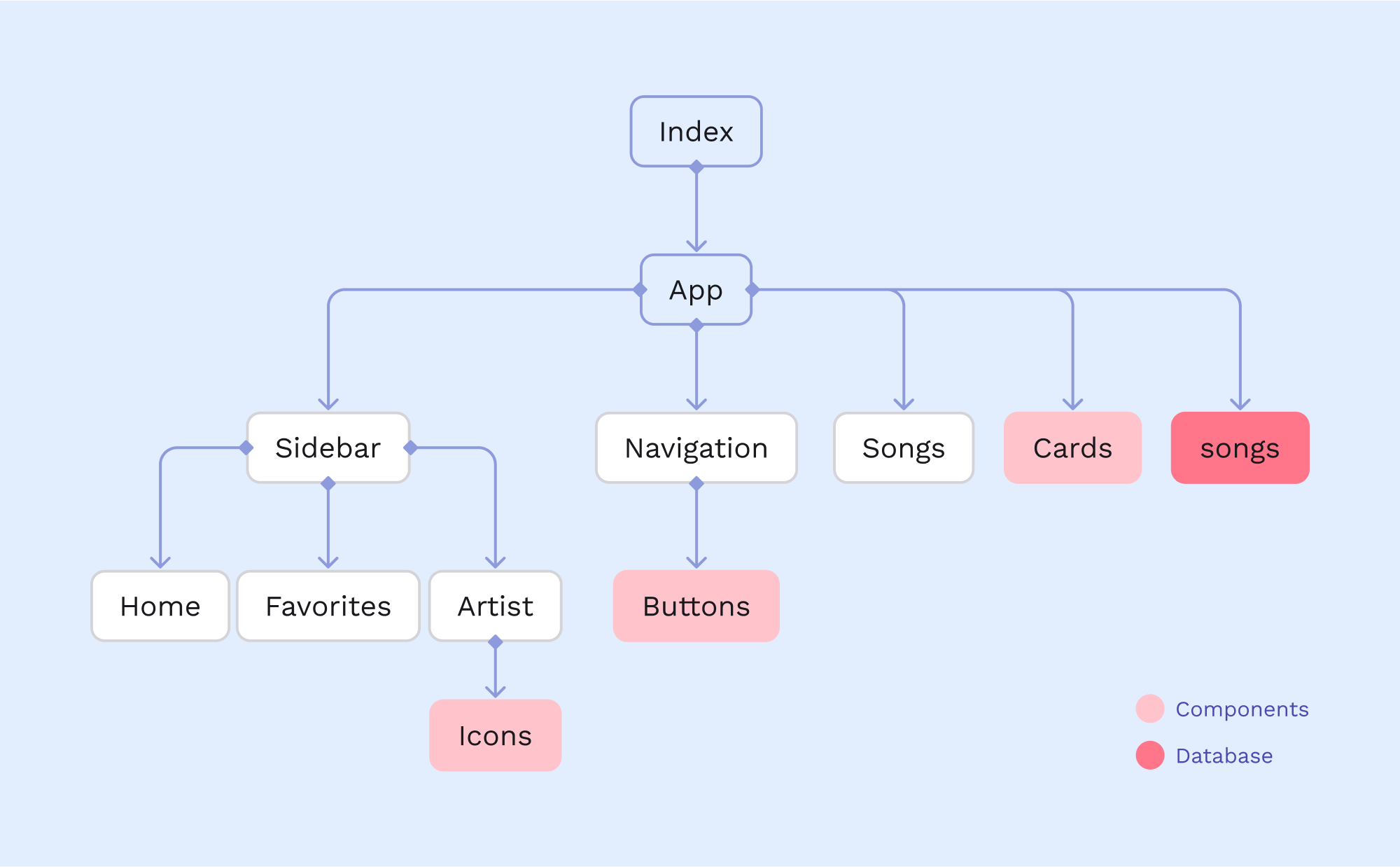
Data flow between components ensured seamless integration and functionality, facilitating the effective display of filtered songs.
4. DELIVERABLES
This application incorporated three types of filters and a favoriting aggregator, allowing users to filter songs by year, song type, and artist. The intuitive interface provided direct access to favorites, confirmation messages for favorited items, and discoverable reset filters.
5. LEARNINGS
Overall, I'm satisfied with the work I was able to accomplish within the given timeframe!